
V65 Shared Parking & Call Transfer Guide
Parking a Call to Shared Parking
-
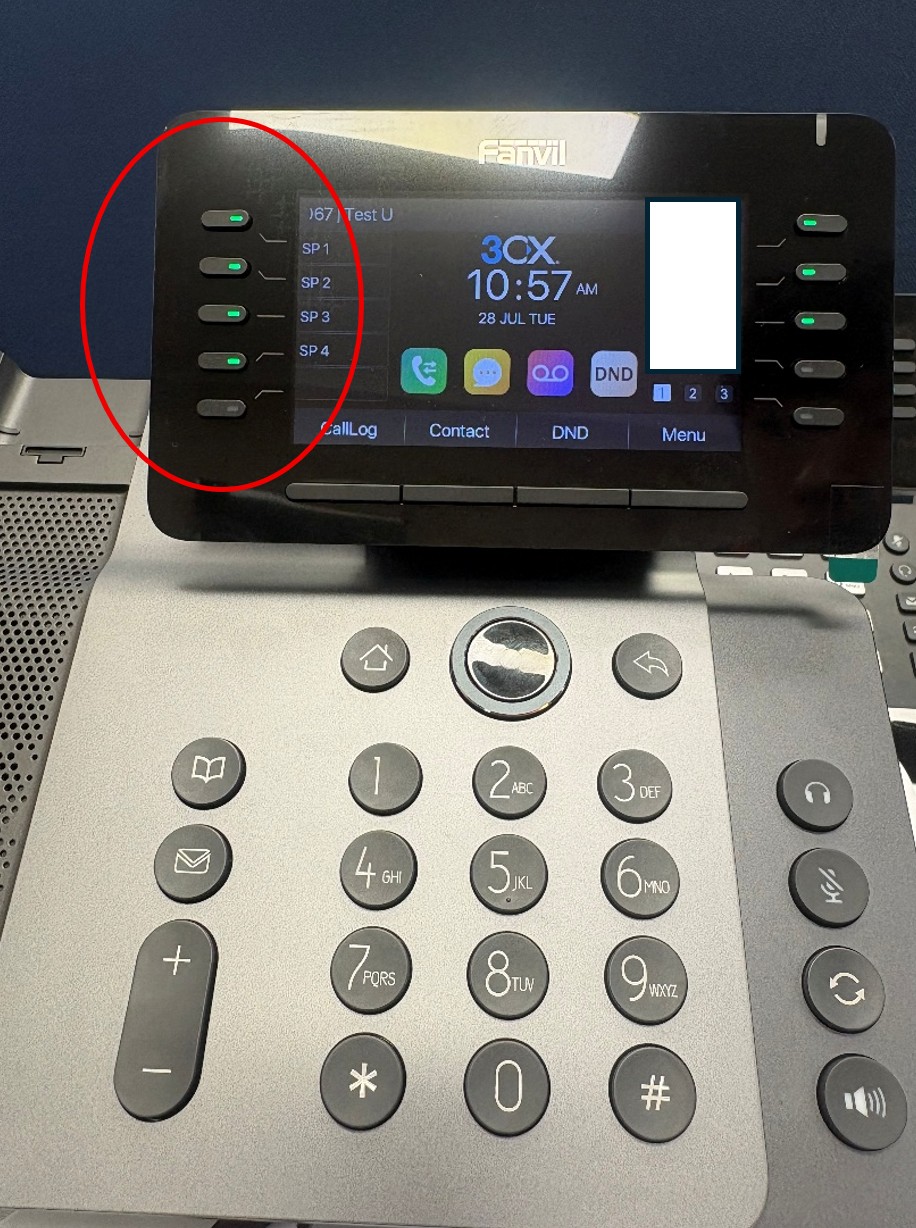
- While on an active call, press the relevant “SP X” (Shared Parking) side button on the upper panel.
- The call will be parked, placing the caller on hold and freeing the line for further use. Any extension with visibility of the same Shared Parking bays will be able to see that a call has been parked.
Retrieving a Parked Call
- Once ready to take the call, press the corresponding “SP X” side button (typically shown highlighted, indicating a call is waiting).
- The call will connect immediately, joining the parked caller.
Transferring a Call
Attended Transfer allows a caller to be announced to a colleague, and their availability checked, before the transfer is completed. The original caller is placed on hold while the transferring party speaks privately with the recipient.
There are two ways to transfer a call on the V65:
Method 1: Using the Xfer Key
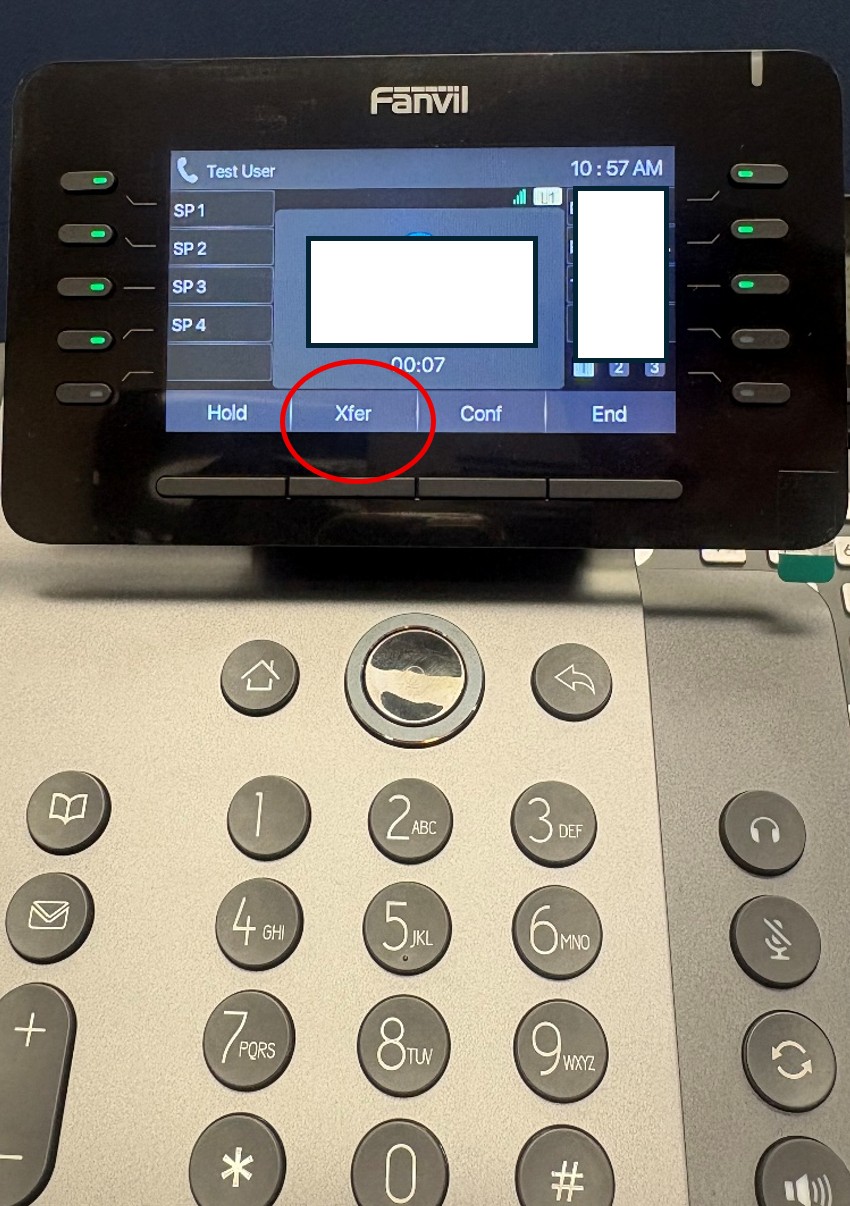
- Press the “XFER” key on the bottom row of the upper panel.
- Dial the extension or number the call is being transferred to.
- Wait for the call to be answered. The caller may be announced to the recipient before completing the transfer.
- Press “XFER” again to complete the transfer.
Method 2: Using a P rogrammed Side Button
- Press the side button programmed with the extension the call is being transferred to. This will speed-dial that extension.
- Once the recipient answers and the transfer is ready to be completed, press the same side button again to complete the transfer.